
Browse spaces nationwide
Find space


Curious about renting?
We’re ready to help you get your stuff stored.
Join your community on Garage Space today
It’s easy
Sign up and book a space in just a few minutes.
It’s worth it
You could save time and money by renting from neighbors near you.
It fits your lifestyle
Track your belongings and access your stuff when you need it.
90,000,000
American-owned homes
50,000,000
Empty spaces in those homes
1 in 5
Americans need storage space
Store just about anything
Find space
- Boxes
- Containers
- Furniture
- Cars
- Trucks
- Boats
- Motorcycles
- Sports equipment
- Tools
- Heavy machinery
- Building materials
- and more

- Book in minutes
- Cancel anytime
Find the space
that’s right for you
If you’ve got stuff to store, there’s space for it on Garage Space.
A storage experience designed for intelligence and safety
AI inventory tracker
Scan, label and categorize your items in seconds.
Coming soon
24/7 Support tools
Support chat and help articles are available 24/7.
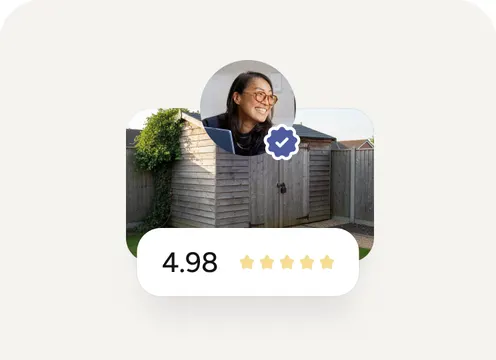
Community ratings
Keeping our platform safe & secure is our top priority.
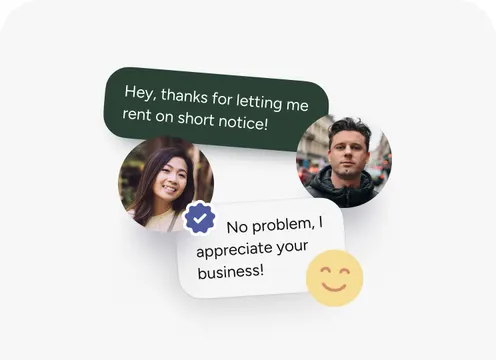
Built-in chat
Easily contact hosts and manage your bookings all within the app.


Have space to rent out?
You could be making $1,500 a year or more.
- List in minutes
- Earn passive income
Commonly asked questions
If you’re curious about anything else, we’re still here to help.
How do I cancel my Booking?
Cancel from your Spaces tab: open the Booking and tap Cancel Booking. The cancellation takes effect from the date you submit it. A few things that frequently go wrong:
- Telling the Host doesn’t count. Sending the Host a message saying “I’m canceling” doesn’t cancel your Booking. The cancellation has to go through the in-app Cancel Booking action.
- Telling support doesn’t count. Same rule.
- You have to do it before the next billing date. If you wait past your renewal date, you may be charged for another month.
- Your access to the Space ends on the cancellation effective date. You’ll need to remove your items by that date.
If you canceled and were charged again, your cancellation may have hit after the auto-charge ran. Check the cancellation effective date in your account; if it was before the charge date, contact support for a refund. If after, the charge stands.
Can I get a refund?
It depends on three things:
- The Listing’s cancellation policy. Each Listing has a cancellation policy (loose, moderate, or strict, set by the Host). The policy controls how much, if any, of an upcoming month you can recover.
- How early you cancel. Generally, you can cancel up to 7 days before the next billing period for a full or partial refund of the upcoming month, depending on the policy. Once you’re past that window, the upcoming month bills as scheduled.
- Whether the Booking is Instant Book. Instant Book Bookings are generally non-refundable once confirmed, except in narrow exceptions we approve case by case or where the law requires otherwise.
The current month, once it has started, isn’t refundable as a default rule. We may issue partial or full refunds in exceptional circumstances at our discretion. If something major happened (medical emergency, family emergency, etc.), contact support with documentation and we’ll take a look.
I had a first-month discount and canceled. Why was I charged extra?
There’s a clawback rule: if you received a first-month discount and you cancel before the second month begins, you’re charged the discounted amount. The discount only applies if the Booking continues past the first month.
So if your Booking was advertised as “50% off the first month” and the regular monthly rate was $200, you originally paid $100. If you cancel before month 2, you’re charged the missing $100 to bring the first month back to full price. The total you pay equals what you would have paid without the discount.
Why this exists: discounts are designed to make commitment worthwhile for both sides. If you could take a discount and bail before month 2, the discount becomes a way to underprice the first month with no commitment. The clawback closes that gap.
If you cancel after the second month begins, there’s no clawback. The discount stands. If you weren’t aware of this when you took the discount and you feel the disclosure was unclear, that’s worth flagging to support.
I booked Instant Book and want to cancel. Why is it non-refundable?
Instant Book Bookings are designed to confirm without Host approval, which means the Host commits the Space the moment you book. To balance that, Renters commit to non-refundable status.
If you want flexibility, look for Request to Book Listings rather than Instant Book. Request to Book Listings take a Host’s 24-hour acceptance window, but follow the standard cancellation framework that allows refunds.
You can still cancel an Instant Book Booking; the cancellation stops future monthly charges. But the current month, and any portion of an upcoming month already covered by the Instant Book confirmation, are typically not refundable. We may make exceptions in narrow cases at our discretion or where the law requires.
If you booked Instant Book by mistake, contact support immediately. Catching it within minutes of booking has the best chance of a discretionary refund. If the Space turns out to be misrepresented, that’s a separate cancellation right (see the question below about a Space that’s not what was advertised).
The Host canceled my Booking. What now?
Two cases:
- Cancellation before you placed items. You receive a full refund.
- Cancellation after you placed items. The Host has to give at least 14 days notice, unless there’s an emergency, safety risk, or you breached the Booking. Use that window to find a new Space and move your items.
In either case, your immediate next step is the same: contact support with the details. We monitor Host cancellations and may take action against Hosts who cancel repeatedly without justification. Your move-out plan and any out-of-pocket costs (transport, new Booking) may be partially recoverable as a discretionary refund.
If the Host cited an emergency or a safety reason, we’ll review the documentation. Genuine emergencies happen; abuse of the emergency exception doesn’t fly. You can leave a review afterward, as long as it’s truthful and respectful. Patterns of Host cancellations are visible across reviews, which informs future Renters.
My plans changed. Can I get a refund for the rest of this month?
As a default rule, you can’t get a refund for the current month once it has started. Cancellation stops future monthly charges, but it doesn’t pro-rate the current month back to you. The reasoning is that the Host has committed the Space to you for the month, the Space is unavailable to other Renters during that time, and the Host has earned the rent. A few exceptions:
- Listing-specific cancellation policy. Some Hosts choose loose cancellation policies that allow partial refunds in narrower windows. Check your Listing’s policy.
- Material misrepresentation. If the Space is materially different from the Listing and you haven’t placed items yet, you have a separate cancellation right (see below).
- Discretionary refund. We may issue full or partial refunds in exceptional circumstances. Contact support with the details.
Also, you can’t sublet the Space to another person to recover the cost. The Booking is yours and isn’t transferable. You should still cancel through the Spaces tab to stop future month charges, even if the current month is non-refundable. And your access continues through the cancellation effective date, so you can leave items in the Space until the end of the paid month if needed.
I’m at the Space and it’s not what was advertised. Can I cancel and get my money back?
Yes, in most cases, before you place items in the Space. You have a specific right: if you inspect the Space and find it materially different from the Listing, you can cancel the Booking. Materially different means a meaningful gap: wrong size, wrong layout, missing claimed amenities, located at a different address than what was confirmed, etc. Small variations (paint color, exact furnishing) usually don’t count.
Critical timing. Once you place items in the Space, that’s treated as you accepting that the Space matches the Listing. After placing items, your cancellation falls under standard rules, not this special right.
Here’s the sequence:
- Arrive and inspect. Walk through the Space. Compare to the Listing.
- Document the discrepancy. Photos, video, the Listing screenshot.
- If you want to cancel: Do not place items. Cancel from the Spaces tab. Contact support with the documentation.
- If the discrepancy is small but you want to discuss: Message the Host. Many discrepancies can be resolved (a missing amenity made available, a partial refund, a different Space at the same property).
If you’ve already placed items and only then realized the discrepancy, you can still raise it with the Host and with us. Outcomes are case-by-case, but document everything either way.
The Host hasn’t responded to my Booking request. What do I do?
The Host has 24 hours to accept or decline. If they don’t act within that window, the request expires automatically. You aren’t charged. What this means in practice:
- Don’t panic at hour 12. Many Hosts respond at the end of the window.
- Don’t assume rejection. Expiration isn’t the same as a decline; some Hosts simply miss requests.
- You can rebook. If the request expires, you can submit a new request, or look for a Listing with Instant Book enabled, which confirms immediately with no Host action needed.
- Messages don’t extend the window. Even if you and the Host are mid-conversation, the 24-hour clock keeps going.
You can find Instant Book Listings by filtering for them in the Explore tab. You can also cancel a pending request before the 24 hours are up by going to the Spaces tab and finding the pending request.
An amenity I paid extra for isn’t actually at the Space. What do I do?
Add-Ons (shelving, locks, vehicle access, equipment, etc.) are part of the Listing. If an Add-On you paid for isn’t present or isn’t functional, it’s the same kind of discrepancy as a missing claimed amenity.
Here’s what to do:
- Document. Photos of where the Add-On should be, and what’s actually there.
- Message the Host. Often Add-Ons are stored separately (a locked closet, in the Host’s possession), and the Host needs to make them available. A simple message often resolves it.
- If unresolved: You may be able to cancel the Booking if you haven’t placed items yet, or seek a discretionary refund or partial refund of just the Add-On fee through support.
If the Add-On is broken (rather than missing), repair or replacement is usually the resolution. A refund of the Add-On portion is also reasonable.
Don’t go buy what you need and try to deduct it from rent. Coordinate with the Host or with us for a proper resolution.
The Host changed the access hours after I booked. Is that allowed?
Hosts have to offer reasonable access to the Space. If the Listing said 24/7 access and the Host suddenly switches to weekdays only, that’s a material change that shouldn’t happen unilaterally.
Reasonable steps:
- Re-read the Listing. Sometimes access details are deeper in the Listing than where you remembered seeing them.
- Message the Host. Ask why the change. There may be a temporary reason (construction, security upgrade) that the Host can communicate.
- If the change is permanent and material: You may have a cancellation right. Contact support.
- If the Host is denying you reasonable access entirely: Coordinate with support. Hosts who deny reasonable access may be in default.
The general rule is you should give at least 24 hours notice before accessing the Space, unless the Host’s stated terms say otherwise.
Is my stuff insured if I store it through Garage Space?
Garage Space does not currently provide insurance. Your stored items aren’t automatically insured by being on the platform. We do offer an optional Renter’s Property Protection Plan at checkout. The Plan is not insurance; it’s a contractual reimbursement service offered for a fee. It can reimburse certain accidental damage and theft losses on disclosed items, with specific conditions and exclusions. Outside the Plan, your options are:
- Your own renter’s or homeowner’s insurance. Many policies cover off-premises personal property; check yours.
- Specialty storage insurance. Available from third-party providers.
- Self-insure. Accept the risk for low-value items.
If you’ve already had a loss without the Plan, see the question below about theft, or contact support. Some Host-fault losses may be recoverable directly from the Host. The Plan and traditional insurance can overlap. The Plan is generally cheaper but more limited (capped at 90% of repair or replacement, with specific exclusions). Insurance is broader but more expensive. Worth considering the Plan for high-value items.
My items were stolen from the Space. What do I do?
Theft requires fast, structured action. Three steps in order: Step 1: File a police report within 3 days of discovery. List the affected items in the report and keep a copy. This is required for any Plan claim and required to hold the Host liable. Step 2: Notify Garage Space within 5 days of discovery. This starts the Plan claim if you have one. Step 3: Submit the claim documentation. Once we send you the intake form, you have 14 days to return it, then 60 days to provide supporting documentation (item value, ownership proof, the police report). Who pays:
- If you have the Protection Plan and the loss qualifies: up to 90% of repair or replacement cost, capped at 90% of your Maximum Protection Amount, with the Plan’s exclusions applied. Theft claims can’t be reimbursed sooner than 60 days after the police report.
- If the Host’s actions or omissions contributed (for example, they failed to lock the Space, or they granted unauthorized access): the Host may be liable, but only with a timely police report.
- If neither applies: no automatic recovery from us. Your own insurance or specialty storage insurance may cover.
Critical: missing the 3-day police report deadline closes off both the Host liability path and the Plan theft path. File the report quickly, even if you’re still trying to figure out exactly what’s missing. You can file with your local non-emergency police line; some jurisdictions take reports online. We can’t file on your behalf.
I had Plan coverage but my claim was denied. Why?
Plan claims are denied for a small number of reasons. The denial communication should specify which reason; if it doesn’t, ask support for the specific cause. You have a right to know. Eligibility issues:
- Items weren’t properly disclosed in your Booking before the loss.
- You didn’t submit photographic evidence of items at move-in or at least 30 days before the reported loss.
- Your account wasn’t in good standing (Plan payments missed, rental payments missed).
Exclusions: the most common denial reasons:
- Prohibited items (cash, jewelry, rare collectibles, firearms, artwork) are excluded.
- Pre-existing damage.
- Damage from natural disasters, weather, government action, civil unrest, mold, infestation, biological contamination.
- Damage from negligence, misuse, illegal activity, or violation of Host rules.
- Items stored in vehicles unless the vehicle is fully enclosed and locked.
- Outdoor-stored items without reasonable theft deterrents or weather protection.
- Damage during transit, handling, or improper move-in or move-out.
Documentation issues:
- Missing proof of ownership.
- Missing repair or replacement estimates.
- Missing photos or videos.
- Police report missing for a theft claim.
If the denial was on documentation grounds, you can re-submit with better documentation within the original 60-day window. After that window closes, the claim is final. If the denial was on exclusion grounds, you can sometimes appeal if you believe the exclusion was misapplied. Submit your case to support.
I was late on a payment. What happens?
Three things happen, in escalating order:
Within 5 days of the due date. If you pay, no late fees apply. We may try the payment again or notify you.
After 5 days late. A late fee is assessed. The exact amount varies by state:
- Arizona: $10 or 20% of the rental fee, whichever is greater.
- California: $10 to $20 depending on the rental fee size.
- New Jersey: $20 or 18% of the rental fee, whichever is greater.
- North Carolina: $15 or 15%, whichever is greater.
- Other states: $20 or 20%, whichever is greater.
After day 6. Interest at 18% per year (1.5% per month) starts accruing on unpaid amounts.
Beyond that. Continued non-payment leads to access restriction, Booking termination with as little as 3 days notice, and after 60 consecutive days unpaid, lien enforcement on your stored items.
The fix is usually simple: catch up on the payment in the Spaces tab. Accrued late fees and interest stand, but access and account status restore. If this is a one-time issue with a clean history, you can ask support about waiving the late fee. Discretionary, no guarantees. To prevent it from happening again, update your payment method in the Profile tab Payments before the next billing date.
Can my stuff be sold if I’m behind on rent?
Yes, under specific conditions. When you place items in a Space, Garage Space and the Host hold a lien on those items. The lien secures unpaid fees (rent, late fees, interest, damages, removal costs). The lien can be enforced if either:
- Total fees remain unpaid for 60 consecutive days.
- You fail to vacate within the timeframe of any formal notice from us or the Host.
Enforcement typically means an online auction or sale through an authorized service provider. Vehicles may be towed or sold under applicable law. Proceeds go toward what you owe; surplus, if any, follows applicable law.
A few important things to know:
- Partial payments don’t stop enforcement. Only full payment of all amounts owed halts the action.
- The clock keeps running. We aren’t required to keep reminding you; if the 60-day mark passes, enforcement can begin.
- Emergency removal can be faster. If health or safety is at issue, we can remove and dispose of items immediately.
The way to stop this is to pay in full. If you can’t pay in full, contact support before the 60-day mark and ask about options. Once enforcement begins, your options narrow significantly. You can see exactly what you owe in your Profile tab Transactions or in the Booking detail in your Spaces tab.
I forgot some items at the Space and the Booking ended. Can I get them back?
Items left behind after a Booking ends are considered abandoned. We and the Host may remove, discard, or sell them without notice. You’re responsible for any costs associated with removal or disposal.
The window between Booking end and disposal varies. Some Hosts dispose immediately; some hold items for a courtesy period. There’s no required hold period.
Here’s what to do:
- Contact the Host immediately. A polite, prompt message often gets the Host to hold the items while you arrange pickup. Many Hosts are reasonable.
- Contact Garage Space support in parallel. Document what you left and when.
- Arrange pickup quickly. The longer you wait, the more likely the items are gone.
If the items are already disposed of, you don’t have a claim. The clock matters; try to send a friend or hire a moving service if you can’t get there yourself.
To prevent this in the future, you can extend a Booking via the Adjust Date / Duration flow before the Booking ends. After it ends, that option is gone.
The Host offered me a discount if I pay through Venmo. Should I?
No. Off-platform payments aren’t allowed, and they put you at risk more than the Host. What you lose by paying off-platform:
- No platform protections. The Booking, Protection Plan eligibility, dispute resolution, and refund mechanisms all run through on-platform payment. Off-platform, you have nothing.
- No record. A Venmo transfer isn’t a Booking payment. We can’t help you recover the money or resolve a dispute.
- The Host is also exposed. Their account may be terminated, and they may owe Garage Space up to 24 months of projected earnings on the Booking.
The “discount” you’re being offered isn’t a real discount; it’s the Host trying to skip platform fees at the cost of your protection. The right action: decline the off-platform offer, and report the Host through the Messages surface (Detail Info or Message Actions, then Report). Our messaging system also detects off-platform payment language and may flag the conversation automatically. If you already paid off-platform, we can’t recover the money. The Host’s account may be subject to action, but your money is at the Host’s discretion. File a report and consider local civil remedies.
I want to report a Host. Will they know I reported them?
Our standard practice is to keep the identity of the reporter confidential when investigating. The Host will be told the category of complaint and the substance of the concern, but not your name as the reporter. Patterns of reports also get aggregated, so a single report often doesn’t surface to the Host as a single named event.
Two important caveats:
- The Host may infer. If the report is about a specific Booking, the Host may guess. We can’t prevent that.
- In legal proceedings, identity may be disclosable. If a report leads to legal action, your identity may need to surface as part of evidence. This is rare and only happens with serious reports.
What happens after you report:
- Our Trust and Safety team reviews the report.
- The Host’s account may be restricted while the review is open.
- Action ranges from no action, to a warning, to suspension, to permanent removal.
- We have discretion; specific outcomes aren’t guaranteed.
- We may not always share specific outcomes with the reporter.
If safety is at risk right now, contact local emergency services in addition to filing the report. To report through the app: in the conversation, tap Detail Info or Message Actions, then tap Report. Or contact us at support@garagespace.com.
What items am I not allowed to store?
Two categories: items prohibited platform-wide, and items the specific Listing prohibits via Host rules. Prohibited everywhere:
- Explosives, flammable materials, hazardous chemicals, pesticides, toxic substances.
- Firearms, ammunition, weapons.
- Illegally obtained or stolen goods.
- Perishable food, spoiled items, infested or mold-contaminated items.
- Living or deceased animals.
- Items emitting strong fumes, toxic vapors, or offensive odors.
- Watercraft not stored properly (for example, not on trailers) unless approved by the Host.
Prohibited actions:
- Smoking in or around the Space (without express Host authorization).
- Using the Space as a residential dwelling.
- Vehicle or mechanical repairs (without express Host authorization).
- Using the Space as a registered mailing or business address (without express Host authorization).
- Shipping goods to or from the Space (without express Host authorization).
Listing-specific: Hosts can prohibit additional items in their Listing rules (no commercial inventory, no large vehicles, etc.). Read the Listing rules.
Required disclosure even if allowed: Certain items must be disclosed when you book: personal records (Social Security numbers, health records, bank info), alcohol, prescription drugs (unless personal use), firearms (which are also prohibited), and certain regulated professional records in Nevada.
If you’re unsure whether something is allowed, ask the Host directly before booking. If they don’t answer or seem evasive, that itself is a signal.
Is there a value cap on what I can store?
Yes. You agree not to store property with a combined value exceeding $50,000. Important nuance: regardless of the actual or claimed value, the maximum total value of all stored property will be treated as not exceeding $50,000. This is a contract clause about how we and the Host will treat valuation in any dispute, not a guarantee or insurance limit. What this means in practice:
- If your items are worth $150,000 and they’re damaged or stolen, you can’t pursue claims valued above $50,000 through Garage Space mechanisms.
- The Protection Plan separately caps reimbursement at 90% of your selected Maximum Protection Amount. That cap is in addition to this one.
- Our overall liability is also limited (the greater of $100 or 12 months of payments). That’s in addition too.
If you’re storing high-value items, your real protection comes from your own insurance, not from platform mechanisms. See the question above about insurance. Even with a high Protection Plan limit, this $50,000 valuation cap applies to other recovery paths.
How do I delete my Garage Space account?
Open the Profile tab, find Delete Account, and follow the confirmation flow. You can also email support@garagespace.com. A few things to know before deleting:
- Active Bookings must be resolved. You can’t delete with active Bookings. Cancel them or let them complete first.
- Outstanding obligations don’t disappear. Deletion doesn’t relieve you of any payment obligations or responsibilities under active Bookings. Late fees, lien obligations, damage liabilities all survive.
- Some data is retained. We retain certain data for legal, compliance, and operational purposes (active disputes, payment records, lien-related obligations). Reviews you wrote and reviews about you may also be retained.
- Recovery window. Some platforms offer a short recovery window after deletion. Check the deletion confirmation screen for the current policy.
- EU and California rights. GDPR and CCPA give residents of those jurisdictions additional deletion rights (see the next question). If you have an open dispute, you probably can’t delete until it resolves. We retain the records either way.
If you just want to stop using the app, you don’t have to delete. Active Bookings continue until they end. Active obligations remain. Pause Account is a softer option than delete.
I’m in the EU. Do I have additional data rights?
Yes. Under GDPR (EU and UK) and CCPA (California), you have the following rights:
- Access. Request a copy of the personal data we hold about you.
- Correction. Update inaccurate data.
- Deletion. Request deletion of your personal data, subject to applicable legal obligations (active Bookings, payment records, and lien matters may need to be retained).
- Restriction or objection. Object to or restrict certain processing.
- Withdraw consent. Where processing is based on consent (such as marketing communications), withdraw it.
- Data portability. Receive your data in a portable format.
- Information about sharing. Learn how your data is shared.
To exercise any of these: open the Profile tab, Privacy section, and use the relevant data-rights flow. Or email support@garagespace.com. We may request additional information to verify your identity before processing the request. We do not sell personal data and won’t without your explicit consent. GDPR requires a response within 30 days; CCPA also has timing requirements. We can refuse a deletion request only for legal or operational reasons covered by GDPR or CCPA exceptions: active Bookings, ongoing disputes, payment records, lien matters. Some processing happens outside the EU, but third-party processors are bound by contract to GDPR-equivalent standards.
Why is the price at checkout different from the price on the Listing?
Several lines combine at checkout that may not all be visible on the Listing:
- Space Fee. The base monthly rent set by the Host. This is what you usually see most prominently on the Listing.
- Service Fee. A platform fee charged by Garage Space. Non-refundable.
- Processing Fee. Payment-network costs. Non-refundable.
- Add-On fees. If you selected any Add-Ons (locks, shelving, vehicle access, etc.).
- Protection Plan fee. If you opted into the Plan at checkout. This is your choice; you can deselect it.
- Taxes. In some jurisdictions, we collect sales or occupancy tax as a marketplace facilitator. The amount and applicability depend on the Space’s location and your jurisdiction.
A first-month discount, if applied, reduces the Space Fee for month 1 only. The discount does not apply to fees or taxes.
If something doesn’t add up, the Booking detail in your Spaces tab should show the line items. If you see a $1 charge on your card you don’t recognize, that’s a preauthorization to confirm card validity; it’s released after.
You can download your receipt for tax and expense tracking by going to the Spaces tab, opening the Booking detail, and tapping View Receipt.
The Host wants me to verify my ID before booking. Why, and is it safe?
Hosts can require ID verification for their Listings as long as the requirement is clearly disclosed. This is more common for commercial Spaces, agricultural Spaces, or higher-value Bookings. The verification itself is processed by a third-party vendor. Typical steps:
- Upload a photo of a government-issued ID.
- Take a selfie for biometric matching.
- Wait a few minutes for processing.
Your data:
- The third-party processor is contractually required to comply with privacy and data protection laws.
- Your ID may be processed in jurisdictions outside your home country.
- You retain GDPR and CCPA rights where applicable.
- We don’t sell personal data.
If you don’t want to verify, you can decline the Booking and look for a Listing that doesn’t require it. Verification is conditional, not universal. If your verification was denied, common reasons are a blurry photo, an expired ID, or a name mismatch. Re-submit. If it keeps failing, contact support.
How do I leave a review of my Host, and what happens if I have a complaint instead?
After your Booking ends, you can leave a public review through the Rate Experience flow. You’ll see it in the Spaces tab and via prompts after check-out. Reviews must be:
- Truthful. Reflecting your genuine experience.
- Respectful. No discriminatory, abusive, or defamatory language.
- Compliant with our policies. No threats, harassment, or content that violates law or third-party rights.
Reviews are public by default and form part of the Host’s profile.
If the issue is more than a review:
- Specific incident, want platform action. Don’t rely on a review. Use the Report function (Detail Info or Message Actions in the conversation) to file a Trust and Safety report. This goes to our review team rather than to other Renters.
- Issue is between you and the Host only. A direct conversation may resolve it before any public escalation. Many Hosts will fix issues if asked.
- You want to share feedback with us, not the Host. Email support@garagespace.com or use Support Chat.
You can do both: file a report and also leave a review. They serve different purposes. If the Host left you a bad review you think is unfair, we can remove reviews that violate our Review Policy (defamation, harassment, false statements). Negative-but-honest reviews stand. To request removal, contact support with the review URL or a screenshot, plus a specific reason that points to the policy violation. You can also leave a private complaint through support without a public review.
Showing 5 of 25 questionsShowing all 25 questions