
Your garagecould make$1,300on Garage Space


Get $20 when you
list your space
Sign up in minutes!
Join your community on Garage Space today
It’s easy
Snap a few photos and get a listing up in just a few minutes.
It’s worth it
Set your own terms and get paid every month from renters you approve.
It’s insightful
Manage your spaces with real-time earnings and listing performance data.
90,000,000
American-owned homes
50,000,000
Empty spaces in those homes
100%
Americans want passive income
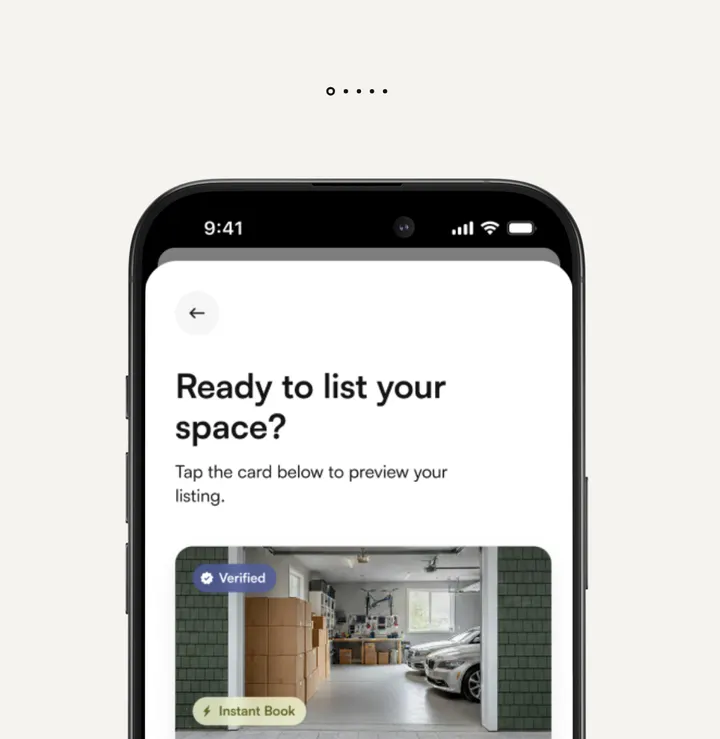
List your space in minutes
Whether you have one space, or multiple spaces and properties, get listed quickly with competitive insights.
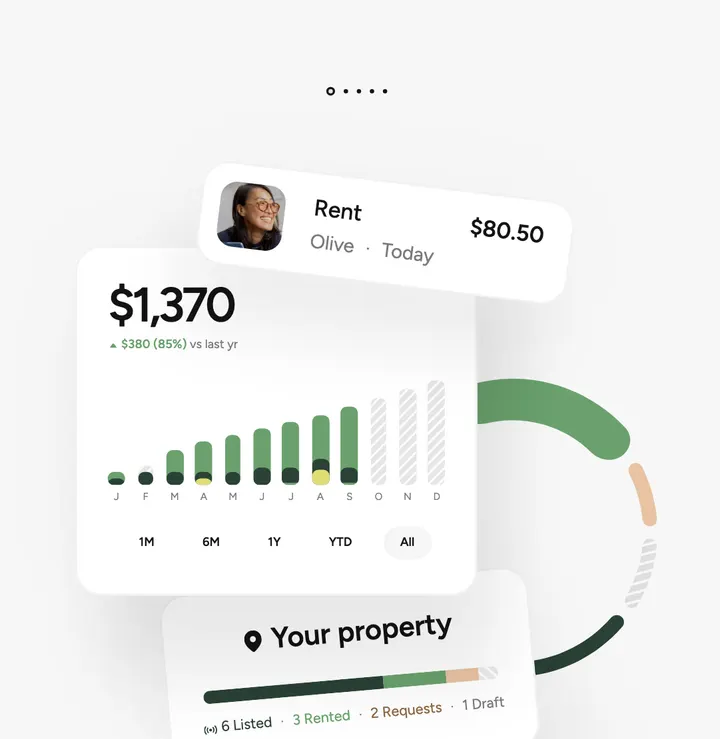
Track all of your earnings & analytics
Optimize your earnings potential with detailed insights into your rentable space.
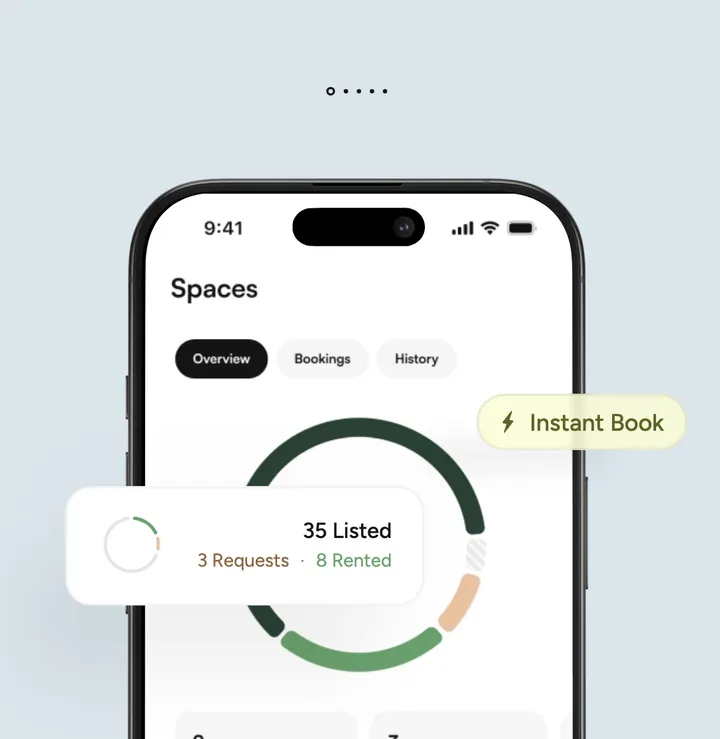
Manage everything in one place
Whether you have one space, or multiple spaces and properties, get listed quickly with competitive insights.


A storage experience designed for intelligence and safety
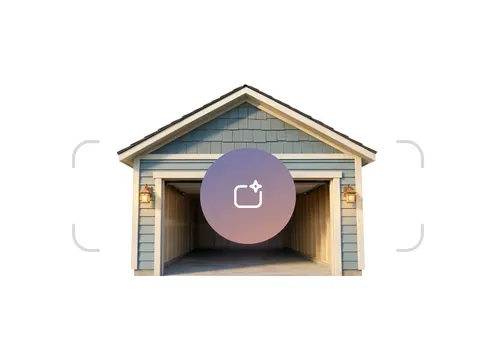
AI space analysis
Optimize your listings with the power of AI.
Coming soon
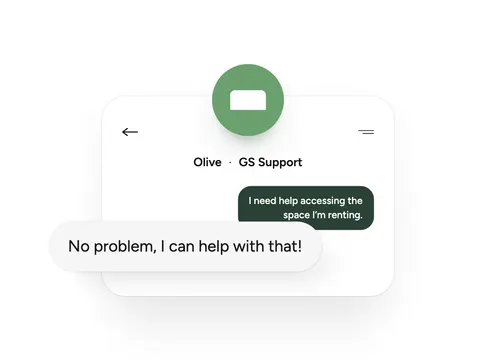
24/7 Support tools
Support chat and help articles are available 24/7.
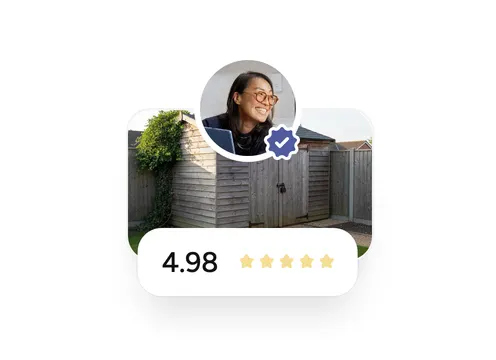
Community ratings
Keeping our platform safe & secure is our top priority.
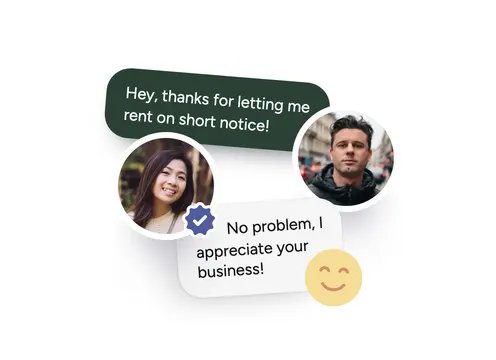
Built-in chat
Easily contact renters and manage your listings all within the app.


We’ll advertise
your space for you
Our job is to help you earn passive income, so we handle all the hard work. Garage Space promotes your spot directly to interested renters.
Coming soon
Become a certified
Pro Host
Earn your badge and let Renters know that quality and service matter.


Looking for storage?
You could be saving up to 30% on storage,
with no hidden fees.
- Book in minutes
- Cancel anytime
Commonly asked questions
If you’re curious about anything else, we’re still here to help.
What is Garage Space, and where is it available?
Garage Space is a peer-to-peer marketplace that connects people who need affordable local storage or parking with neighbors who have space sitting unused. That space can be a garage, a driveway, a spare room, a closet, a shed, a basement, a parking spot, or a place to keep an RV or boat.
For Renters, it means storage that is usually closer to home and costs less than a traditional facility. Renters could save up to 30% compared to conventional self-storage. For Hosts, it means turning space you are already paying for into monthly income without taking on a second job. You can browse Spaces, book, and manage everything at garagespace.com or in the Garage Space app.
Availability: Garage Space is available across the United States. The fastest way to see what is near you is to enter your ZIP code in the Explore tab. If there is nothing close by yet, you can list your own Space in any market, and new Listings help open up a market for everyone in it.
How much money can I make as a Host?
Most Hosts earn somewhere up to $1500 or more per Space per year after the platform fee. What you make comes down to four things:
- Size — A full two-car garage earns more than a spare closet. Square footage is the single biggest driver.
- Location — Dense metros with expensive traditional storage support higher prices than rural areas.
- Space type — An enclosed, lockable garage generally earns the most. Driveways and parking spots earn less per month but tend to book faster and require almost nothing from you. RV and boat parking can earn well above the typical range in the right market.
- Availability and access — Spaces with 24/7 access, wide clearance, and ground-level entry book more often and support higher pricing.
You set your own price, and the app suggests a range based on comparable Spaces near you. There is no monthly listing fee for individual Hosts with 1 to 5 Spaces, so a Space that sits empty costs you nothing. We only take a fee when a Booking happens. And you can list more than one Space under a single account, which is how many Hosts scale from a few hundred dollars a month to meaningfully more.
How do I list my Space?
Listing your space takes roughly 5 minutes and it is free. Here is the sequence:
- Create your account. Sign up at garagespace.com or in the app.
- Open the Listings tab and tap Add Listing.
- Pick your Space type (garage, driveway, room, parking spot, and so on).
- Add photos and measurements. This matters more than anything else in the flow. Clear, current photos and accurate dimensions are what turn views into Bookings, and an inaccurate Listing gives a Renter grounds to cancel.
- Set your price. The app suggests a range based on comparable Spaces nearby. You can price above or below it.
- Set your rules and access. Note what can and cannot be stored, and what access hours you offer. Anything you want to prohibit beyond the platform-wide list needs to be stated in the Listing.
- Choose Instant Book or Request to Book. Instant Book confirms automatically and gets more Bookings. Request to Book gives you a 24-hour window to accept or decline each request. You can switch later.
- Connect your payout method. This runs through Stripe Connect and takes a few minutes. Do this before your first Booking, not after.
- Verify your identity. Government-issued ID, usually a selfie for matching, processed in minutes. Verified Hosts get a badge, and verification is required to receive payouts.
One thing to confirm before you publish: you need the legal right to list the Space. If you rent, you need written permission from your landlord. If you are in an HOA or condo, check the bylaws. Verbal permission is a weak position if someone changes their mind later.
How do payments work?
Everything runs through the platform. Nothing is paid in cash, and nothing is paid Host to Renter directly. This makes managing everything simple and easy.
- For Renters — You pay at checkout with a card on file, and you are charged on the same date each month until you cancel. Your total includes the monthly price of the rental (the Host’s monthly rent) and a Service Fee, any Add-Ons you selected, the optional Renter’s Property Protection Plan if you opted in (coming soon), and tax where applicable. The Booking detail in your Spaces tab shows every line item, and you can pull a receipt from there.
- For Hosts — After your Renter’s monthly payment clears, we deduct the platform fees and pay out the rest. Payouts run on a monthly schedule through Stripe Connect and typically land in your bank within a few business days. You can see a line-by-line breakdown in the Performance tab under Earnings detail.
Taxes. If you exceed IRS reporting thresholds, Stripe issues your 1099, and you can find it in the Profile tab under Taxes. In states where Garage Space acts as a marketplace facilitator, we collect and remit sales or occupancy tax on your behalf, and that amount is shown to the Renter at checkout rather than deducted from your payout.
One rule worth stating plainly: off-platform payments are not allowed. Paying or accepting money outside Garage Space voids the protections on both sides, and for Hosts it can mean account termination plus liability for up to 24 months of projected earnings on the affected Booking.
How is Garage Space different?
Six things set it apart:
- We advertise with your listing directly. This lets us target your area with your listing for more effective matching with a renter near you.
- Neighborhood space instead of a facility. Your Space is usually a few minutes from home rather than across town in an industrial park, and Renters could save up to 30% compared to traditional self-storage.
- Built for everyday people, not operators. Individual Hosts with 1 to 5 Spaces pay no monthly listing fee. We earn only when you do. That was a deliberate choice, because a fee standing between someone and their first Listing defeats the point.
- Protection on both sides of the Booking. Hosts have the Host Payout Guarantee, which can cover up to two months of missed Renter payments on Bookings priced at $250 or less when conditions are met. Renters have the optional Property Protection Plan (coming soon) at checkout. Both sides get a structured claims and dispute process rather than a standoff.
- Everything on the record. Bookings, messages, payments, and cancellations all live in the app. When something goes wrong, there is a documented history to work from, which is exactly what an informal arrangement with a neighbor never has.
- More than storage. Storage, parking, driveways, RV and boat space, and commercial Spaces all run on the same platform, so a single Listing can serve several kinds of demand.
I haven’t connected a bank account yet. What happens to my earnings?
Your earnings sit safely in Stripe until you connect a bank account through Stripe Connect. We’ll keep trying to pay you on the regular monthly schedule, but the payout can’t actually land anywhere without a destination account. There’s an important deadline to know about: if we attempt to pay you for six months without success because of a missing or unverified bank account, those unpaid earnings are forfeited. The clock doesn’t pause for vacation, account pause, or any other reason, so it’s worth getting this set up early. The fix is quick. Open the Performance tab or Profile tab, tap Add Payout Method, and complete the Stripe Connect verification steps. Once you’re connected and verified, your future payouts will run on the normal monthly schedule, and any earnings still inside the six-month window will be released on the next scheduled payout date.
When do I get paid, and why is my payout less than my earnings show?
We pay Hosts on a monthly schedule. After your Renter’s monthly payment comes in, we deduct the platform fees, and the rest is your payout. Stripe Connect then transfers it to your connected bank account, usually arriving within a few business days depending on your bank. If your payout looks smaller than what your earnings dashboard suggested, here are the most common reasons:
- The platform fees were deducted before payout (this is the usual one).
- Stripe held the transfer for additional verification.
- A Renter refund or chargeback in the same period reduced the amount.
You can see a line-by-line breakdown in your Performance tab Earnings detail or in your Profile tab Transactions surface. If the numbers still don’t add up after looking there, contact support and we’ll walk through it with you.
Why was my payout withheld?
A payout can be withheld when we believe there’s a problem we need to investigate. The most common triggers are:
- A reported policy violation tied to your account.
- A damage claim or refund tied to one of your Bookings.
- An off-platform payment incident.
- A Trust and Safety report that’s currently under review.
- A Renter chargeback that hasn’t fully resolved yet.
You should see the specific reason inside the app or in a notification. If the reason isn’t visible, please contact support and ask for the cause directly. You have a right to know what triggered the hold so you can take action to resolve it. If you believe the hold is unfair, you can submit evidence supporting your side and we’ll investigate. High-value or complex situations can be escalated to a human reviewer.
My Renter stopped paying. What happens to me, and what about their stuff?
Two things happen at once: we work on the missed payment, and the Renter’s stored items become subject to lien enforcement.
On the missed payment side. If your monthly Booking price is $250 or less, you may be eligible for the Host Payout Guarantee, which can cover up to two months of missed payments (minus processing fees). Three conditions: the Renter’s first month payment was successfully collected, you cooperate with any documentation we ask for, and the missed payment isn’t the result of a Renter winning a bank dispute. If your Booking is priced above $250, the Guarantee doesn’t apply and recovery happens through default remedies.
On the stored items side. Once the Renter has been in default for 60 consecutive days, or has failed to vacate after a formal notice, we can begin lien enforcement. That typically means an online auction or a sale through an authorized service provider. Vehicles can be towed or sold under applicable law.
Important: don’t dispose of, sell, or otherwise act on the items yourself. This is coordinated with us, not unilateral. If the Renter promises a partial payment, know that partial payments don’t stop enforcement. Only full payment of everything owed halts the action.
The Renter left items in my Space after the Booking ended. What do I do?
This depends on whether the Booking ended cleanly or ended in default. The two paths look similar but they’re different, so it’s worth knowing which one applies.
Path 1: Standard abandonment. The Booking ended on schedule or via cancellation, the Renter is current on payments, and they just left things behind. In this case, the items are abandoned. You and Garage Space can remove, discard, or sell them without notice. The Renter is responsible for cleanup costs. Take photos of what you find before disposing, and you can charge the Renter for cleanup through us.
Path 2: Default with active lien enforcement. The Renter is in default (60+ days unpaid, or they ignored a formal vacate notice), and the items are subject to a lien. In this case, don’t dispose of the items. Coordinate with us so we can run the lien enforcement process properly, which usually means an online auction or authorized sale.
The two paths are easy to confuse. If you’re unsure which applies, contact support before doing anything you can’t undo.
Where do I get my 1099, and how does Garage Space report my earnings to the IRS?
If you exceed the IRS reporting thresholds, you’ll receive a 1099 form from Stripe (our payment processor). You can find it in the Profile tab Taxes surface inside the app, and Stripe will also email it directly. Threshold rules and form types follow current federal and state tax law, which can change year to year. We do not prepare or file your taxes for you. You’re responsible for reporting your Host income and paying any applicable taxes. In some states, Garage Space acts as a marketplace facilitator and collects and remits sales or occupancy taxes on your behalf. When that applies, the collected amount is shown to the Renter at checkout, not deducted from your payout. If your 1099 doesn’t match your records, reconcile against your Transactions in the Profile tab. If the discrepancy is real, contact support and we’ll coordinate with Stripe on the tax reporting.
How do I qualify for the Host Payout Guarantee?
The Host Payout Guarantee can cover up to two months of missed Renter payments (minus processing fees) when all four of these conditions are met:
- The Booking is confirmed and the Renter’s first month payment was received successfully.
- The monthly Booking price is $250 or less. Bookings above $250 don’t qualify.
- You cooperate with us if we ask for documentation, like proof the items are still in the Space or proof of attempts to contact the Renter.
- The missed payments aren’t the result of a Renter winning a bank dispute or chargeback.
If all four are met and the Renter stops paying, we’ll issue Guarantee credits against the missed months. The covered amount may be adjusted depending on how long the Renter’s items remain in the Space.
Most reasons people don’t get the Guarantee come down to the Booking being priced above $250, the first month never having been collected, the Renter winning a bank dispute, or the Host not responding to a documentation request.
How do I change my payout bank, or set up a different bank for a different Listing?
To change your payout bank, open the Profile tab Payments surface and tap Add Payout Method or edit your existing connected account. The change runs through Stripe Connect, which may ask for a quick re-verification (usually a few minutes). New payouts route to the updated account starting from the next scheduled payout date. Payouts already in flight may still complete to the old account. We don’t currently support different payout banks for different Listings. All payouts to a single Host account flow to the same connected Stripe Connect account. If you keep getting Stripe Connect errors, the most common causes are a mismatched legal name, an expired ID, or an unsupported region. If the error message is opaque, contact support and we’ll help untangle it.
How do I cancel a Booking, and what notice do I need to give?
How you cancel and what notice you need depend on the situation:
- Before the Renter has stored items. You can cancel and the Renter gets a full refund. No notice period required.
- After the Renter has stored items, no emergency. You need to give at least 14 days written notice. Process the cancellation through the Garage Space app, not over text or email.
- Emergency, safety, or breach of the Booking by the Renter. You can cancel immediately with no notice. Document the issue (photos, dates, descriptions) and submit it to us; the documentation is required.
- Instant Book Bookings. These can only be canceled by the Host for emergency, safety, legal, or material-breach reasons. The bar is higher than for Request to Book.
After cancellation, the Renter has to remove all stored items by the cancellation effective date. If they leave items behind, see the question above about items left behind. A single justified cancellation shouldn’t hurt your account. Repeated cancellations without sufficient justification can lead to suspension or removal.
I want to decline a Booking request. Do I have to give a reason, and can I get in trouble for declining?
You have 24 hours to accept or decline a Booking request. Just tap Decline on the Booking notification or in the Listings tab. A reason is currently optional, though we may capture structured reasons in the future.
You can decline for legitimate reasons: security concerns, prior negative interactions, the Renter’s intended use doesn’t match your Listing, or other content-based concerns. You can’t decline based on a Renter’s race, color, ethnicity, national origin, religion, gender, sexual orientation, gender identity, marital status, disability, or any other protected characteristic.
A single decline almost never causes problems. What does is a pattern of declines against Renters in protected groups, even when each individual reason sounds neutral. We may aggregate decline data internally to monitor for this kind of pattern.
The Renter is told the request was declined but isn’t shown the reason. If a request expires because you missed it, the Renter would need to re-request; you can’t accept after expiration.
What happens to my earnings if a Renter cancels in the first month?
There are two cases:
- No first-month discount applied. If the Renter cancels under our standard rules, your earnings reflect the months the Renter actually paid for. The cancellation processes against the cancellation policy you chose at Listing creation.
- First-month discount applied, Renter cancels before month 2. The Renter is charged for the discounted amount. That clawback flows back into your earnings. From your view, it looks like a small additional charge appearing on the canceled Booking. The total you ultimately receive ends up close to the un-discounted price for the first month, minus any cancellation refund and platform fees.
The clawback exists so promotional discounts can’t be abused. A Renter can’t take a discounted first month and then cancel before month 2 to lock in the discount. If the Booking continues into month 2, the discount stands.
You can see the clawback in your Profile tab Transactions on the affected Booking. Most Hosts who offer a first-month discount find it worth it for the extra Listing visibility, since the clawback protects you against gaming.
I have an Instant Book Listing. Can I cancel a Booking I don’t like?
Instant Book has a deliberately higher cancellation bar than Request to Book. You can cancel an Instant Book Booking only for emergency, safety risk, legal requirement, or material breach by the Renter. You can’t cancel just because you have second thoughts, want to try a different Renter, or got a better offer. Repeated cancellations of Instant Book Bookings without sufficient justification can lead to suspension or removal. Material breach means a clear violation: storing prohibited items, soliciting off-platform payment, lying about stored item value or contents, or any other clear policy violation. If Instant Book feels too constraining, you can switch your Listing from Instant Book to Request to Book in the Listing settings. The change applies to new Bookings; existing Instant Book Bookings stay governed by the original rules.
A Renter offered to pay me directly via Venmo to skip platform fees. Can I take it?
No. Off-platform payments aren’t allowed.
The penalty is severe. If you accept an off-platform payment, your account may be immediately terminated, and you may be held liable for fees equal to up to 24 months of projected earnings on the affected Booking. We can recover those amounts by deducting from your future payouts or charging your linked payment method.
Here’s the reasoning. On-platform payments are how Renters get the protections we provide (Payout Guarantee for you, dispute resolution, escrow, refund handling). Off-platform payments leave both sides exposed and undermine the whole platform.
If a Renter solicits this, decline and report the Renter through the Messages surface. Tap Detail Info or Message Actions in the conversation, then Report. Our messaging system also detects off-platform payment language and may flag the conversation automatically.
If a Renter says they’re paying you a tip outside the app, the same rule applies. Any payment outside the platform tied to a Booking falls under the off-platform rule.
I was reported by a Renter and now my account is restricted. What’s happening?
When we receive a report, our Trust and Safety team reviews it. While the review is open, your account or specific Listings may be restricted: payouts may be paused, new Bookings may be blocked, or the Listing may be demoted in search. The restriction is precautionary, not a final decision.
You should receive notice of the restriction with enough information to understand what’s being investigated. If the notice isn’t specific, contact support and ask for the specific cause.
If the report is unfounded, restrictions lift and any held payouts release. If the report is substantiated, consequences scale to the severity: from a warning, to a temporary suspension, to permanent removal. You can submit evidence to support your position throughout.
We typically don’t share the specific text of a Renter report, but we do share the category of concern. Support can clarify if you’re unsure what’s being investigated.
Someone reported me for discrimination. I don’t think I did anything wrong.
We take discrimination complaints seriously, and the review process focuses on patterns rather than single incidents. A single decline almost never establishes discrimination. What does is a pattern of declining Renters in a protected group, even when each individual reason sounds neutral. You’ll be asked to explain your decline reasoning and may be asked to share message history. The review is conducted privately. You won’t see the specific text of the complaint, but you’ll be told the category. What helps:
- Document your decline reasons. Keep them tied to legitimate, content-based criteria like security concerns, prior negative interactions, or intended use mismatch.
- Avoid stated requirements that have disparate impact. Language requirements, citizenship requirements, and similar criteria can trigger concerns even when intended neutrally.
- Be respectful in messages. Rude or dismissive language toward Renters in protected groups, even if you eventually rent to them, is itself an issue.
You can absolutely refuse to rent to a particular person you had a bad interaction with. That’s a legitimate reason. You can also require a profile photo or verified ID for your Renters, as long as it’s disclosed in the Listing and applied evenly to everyone.
Can I list a garage I don’t own, or my apartment’s storage unit?
Only if you have the legal right to list the Space. You have to be able to honestly say you have full rights, authority, and permissions to list, license, and grant access. Listing a Space you don’t control puts you at risk in a few different ways. In practice:
- Owned property. You’re set; no special permission needed.
- Rented property. Most residential leases prohibit subletting. You need written permission from your landlord before listing. Many leases require permission to be specific to the activity.
- HOA or condo. HOA rules and condo bylaws can prohibit short-term rental or storage use. Check your HOA.
- Apartment storage units. Same rules as rented property: landlord written permission required, and only for storage (the Space can’t be used as a residence anyway).
- Shared property. All co-owners or co-lessees should agree.
If you’re caught listing a Space without authority, the consequences range from Listing removal, to account termination, to legal liability if the property owner sues. Push for written permission, even if your landlord is friendly. Verbal permission is a weak defense if they later change their mind.
I want to use AI to write my Listing description. Is that allowed?
Yes, and we may even offer AI tools to suggest descriptions, titles, or pricing. The catch is that you remain fully responsible for everything published under your account, no matter who or what wrote it. A few practical things to watch for:
- Review carefully. AI tools sometimes describe features, sizes, or amenities that don’t exist in your Space. Read the description against your actual Space and correct anything inaccurate.
- Photos must match. AI can’t generate accurate photos of your specific Space. Use your own.
- Keep claims grounded. If the AI says “spacious” and the Space is 80 square feet, that’s a stretch. You’re responsible for accuracy, and a Renter can cancel for material misrepresentation.
- Check rules and conditions. AI-generated rules sometimes contradict our nondiscrimination policies or prohibited-items rules. Review them before publishing.
If a Renter later disputes the Listing as misleading, we can issue refunds, deny payouts, recover past payouts, remove the Listing, or pursue legal remedies. “The AI wrote it” isn’t a defense.
I’m going on vacation. How do I pause my Listings without losing them?
You have two options, and they do different things.
Option 1: Pause your Listing. From the Listings tab, open the Listing and toggle availability off. New Renters can’t book the Space while it’s paused. Existing Bookings continue normally; the pause doesn’t cancel anything in flight. Payouts on existing Bookings continue on the normal schedule.
Option 2: Block specific dates. If you only need a finite window, block those dates in the Listing’s availability calendar. New Bookings can’t start in that window. Existing Bookings still run.
Neither option cancels active Bookings. If you need to actually exit a Booking before its end date, see the cancellation question above.
A note about messages: if you have active Bookings, those Renters may still message you during your pause. You should still respond. A pause doesn’t pause your support obligations to current Renters.
You can unpause whenever you want. Long pauses can affect search ranking; brief pauses usually have minimal impact.
I want to delete my Garage Space account. What happens to my pending payouts and existing Bookings?
Deletion is permanent, and there are obligations that follow you through it. Before you delete:
- Active Bookings must be resolved. You can’t delete with active Bookings in progress. Either complete them or cancel them first.
- Pending payouts. If your bank account is connected, pending payouts process on the normal schedule. If your bank is not connected, the six-month forfeiture clock applies, and deletion doesn’t stop it. In fact, deletion may accelerate forfeiture because the account is gone. Connect your bank before deleting to make sure pending payouts land.
- Reviews. Reviews you wrote and reviews about you may stay on the platform even after your account is gone.
- Legal and operational records. We retain certain records for legal, compliance, and operational purposes (active disputes, lien records, payment history). These survive deletion.
To delete: open Profile, scroll to Delete Account, and follow the confirmation flow. There may be a short recovery window after deletion depending on the current policy. Once that closes, deletion is permanent.
Why do I need to verify my identity before listing? My Renters never asked me to.
Three reasons:
- Stripe Connect requires it. To pay you, Stripe needs to verify your identity for tax reporting and anti-fraud rules. This isn’t optional; you can’t receive payouts without it.
- Listing type may require it. Certain Spaces (commercial, agricultural) may need extra verification. Some Renters and some Listing categories raise the bar.
- Trust and safety. Verified Hosts get a “Verified” badge on their profile, which makes Renters more comfortable booking. Unverified Listings often get fewer Bookings.
The verification itself is fast: government-issued ID, often a selfie for biometric matching, processed through a third-party vendor. Usually completes in minutes. Common reasons for declines are a blurry photo, an expired ID, or a name mismatch. Re-submit; if it keeps failing, contact support for manual review.
Your ID is processed by the third-party provider and is subject to applicable privacy rights (GDPR if you’re in the EU or UK, CCPA if you’re in California).
A Renter left me a bad review I think is unfair. Can I dispute it?
Possibly, but the bar for removal is specific. We can remove or modify reviews that violate our Review Policy: false or misleading statements, discriminatory or abusive language, threats or harassment, defamation, or content that violates law.
A review that’s simply negative but honest isn’t removable, even if you disagree with how the Renter characterized things. Reviews aren’t independently verified by us; they reflect the reviewer’s experience and opinion.
To submit a removal request, contact support with the review URL or a screenshot, plus a specific reason that points to the policy violation. We have discretion to remove or leave the review in place.
You can also respond to the review publicly. A calm, factual response to a negative review often softens its impact more than removal would. You can also leave your own review of the Renter (truthful and respectful, not retaliatory). And you can refuse to ever rent to that Renter again. Prior negative interaction is a legitimate reason.
What is Pro Host, and is it worth upgrading?
Pro Host is an enhanced program for serious or commercial Hosts. It’s designed for people with multiple Listings, a track record of good performance, or a verified business identity. It comes with additional tools and possibly different pricing. The specific Pro Host benefits, eligibility, and pricing may evolve over time. The current details are inside the app at the Pro Host upgrade flow. Whether it’s worth it really depends on volume. If you have one Listing and rent it occasionally, the standard Host experience is usually plenty. If you have multiple Listings, run a commercial operation, or want batch tools and priority support, Pro Host is built for you. You can downgrade later if it’s not working out, and existing Bookings continue normally during a downgrade.
A Renter wants to cancel because they say my Listing was inaccurate. Do they have grounds?
Renters have a specific cancellation right when the Space is materially different from the Listing and they have not yet placed items. Here are the key constraints:
- Material difference. Not every minor variation counts. A slightly different paint shade isn’t material. The Space being a different size, a different layout, missing claimed amenities, or located somewhere different than the address shared on confirmation is material.
- Before items are placed. Once the Renter places items in the Space, they’re considered to have accepted that the Space matches the Listing. After that, cancellation falls under the standard cancellation rules.
If the Renter’s claim is well-founded, your best path is to acknowledge the issue and resolve it directly: refund, offer a different Space, or fix the discrepancy. If you can’t resolve, we may step in and may issue a refund, deny your payout, recover past payouts, remove the Listing, or pursue legal remedies. If the Renter’s claim isn’t well-founded (you believe the Space matches the Listing), document the Space (photos, the original Listing, any communications) and submit to support. We’ll investigate. If both sides have a partial point, you can offer a partial refund. This often resolves disputes faster than escalation. To prevent this in the future, keep your Listing current as your Space changes, with accurate photos, descriptions, and measurements.
A Renter wants to store something I’m not comfortable with. Can I refuse?
Yes, in many cases.
- Always refuse: Items on the prohibited list (firearms, explosives, hazardous chemicals, perishables, illegal goods, living or deceased animals, and so on). These are non-negotiable. You can decline the Booking, and you should report any attempt to store them.
- Refuse via Listing rules: You can set rules in your Listing that prohibit specific categories beyond the platform-wide list (no commercial inventory, no large vehicles, no items with strong odors, etc.). Just be sure the rules are clearly stated in the Listing. A Renter who books and then violates your rules is in default.
- Refuse via decline: If a Booking request includes items you’re uncomfortable with, you can decline for legitimate reasons (intended use mismatch). What you can’t do is decline based on a Renter’s protected characteristics.
Required disclosure categories. Renters are required to disclose certain items: personal records (Social Security numbers, health records, bank info), alcohol, prescription drugs (unless personal use), firearms, and certain regulated professional records in Nevada. If a Renter has these and didn’t disclose, you’re within your rights to address it.
If a Renter changes what they’re storing mid-Booking, they’re required to update us. If the new items violate your rules or the prohibited list, the Renter is in default.
My Listing was demoted in search results. Why, and what can I do?
We have discretion to reduce a Listing’s visibility or search ranking for several reasons:
- Unresponsiveness. Slow Booking-request response times (the 24-hour acceptance window) can affect ranking.
- Cancellation history. Repeated Host cancellations, especially without sufficient justification, hurt ranking.
- Policy violations. Open Trust and Safety reports, policy violations, or active disputes can demote.
- Listing quality. Missing photos, incomplete descriptions, or inaccurate information can affect visibility.
- Performance metrics. Low Booking conversion or poor reviews can affect ranking.
You should be able to see specific causes inside the Performance tab, where the Insights section may surface recommendations. If the cause isn’t visible, contact support. The fix depends on the cause. Improve response time. Resolve open disputes. Update Listing quality. Improve photos and descriptions. Most causes are recoverable, usually within a few weeks of improved performance. Pure appeals without behavior change rarely succeed. Removal is different from demotion. Removal happens for serious violations, repeated issues, or content that breaches our nondiscrimination, prohibited-use, or prohibited-conduct policies.
Showing 5 of 30 questionsShowing all 30 questions


Curious about hosting?
We’re ready to help you get started.